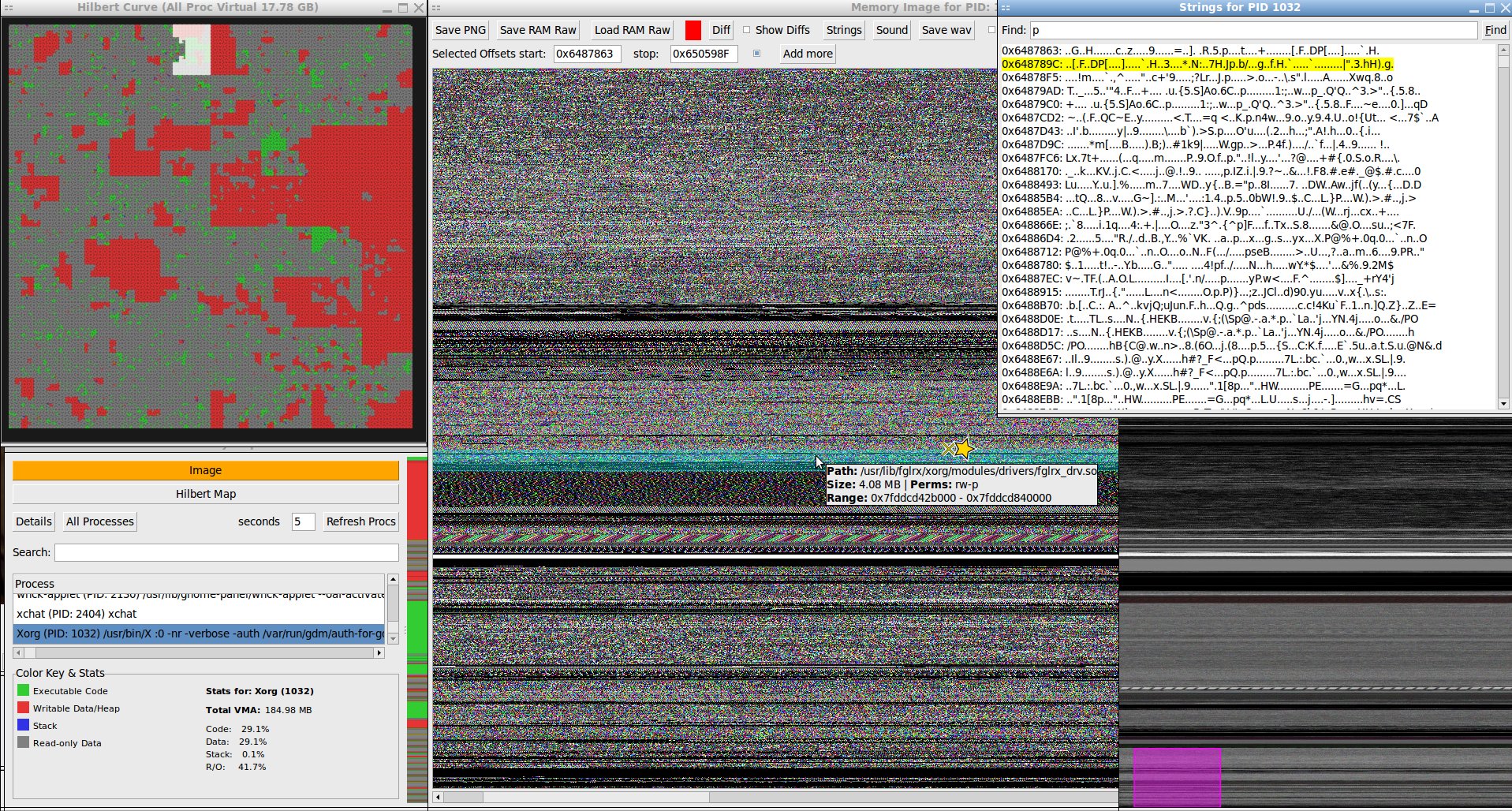
One day I decided I wanted to be able to "see" what was going on inside the RAM in my linux desktop computer. And now through the magic of LLM AIs and some debugging I can. I haven't ported it to gtk3 yet so it's gtk2 only for now: memgaze.pl (94KB, requires libperl-gtk2 and 'aplay' binary for sound)
Memgaze is a linux process RAM exploration tool. It creates visualizations as images of the *virtual* RAM of any accessible process (best to run as root) and can save them as PNG. It also can play any RAM dump or subsection(s) of it as a sound file or save to wav. It has tool-tip overlays that show what type of RAM allocation it is and what, if any file it's associated with on disk (or heap or stack or anonymous) on both the hilbert map and image map. To get a birds eye view of the virtual ram system it maps all used virtual ram onto a space filling hilbert curve with selectable sub-section and tool-tips showing the proportional use of virtual RAM by every process. On the image map there's a small "thumbnail" view for zipping around truly gigantic ram dump images for convenience on slower machines.
To be clear, this is virtual RAM mappings, and the numbers it gives are not useful when you're trying to figure out the physical amount of RAM any given process is using (though it is proportional).
To make the image the program walks through massive strings of bytes, taking them three at a time to form each pixel. Each byte has a value from 0 to 255. Coincidentally, each color channel in a standard 24-bit RGB pixel is also represented by a value from 0 (no intensity) to 255 (full intensity). This allows for a perfect 1-to-1 mapping.
The 1st byte becomes the Red component of the first pixel.
The 2nd byte becomes the Green component of the first pixel.
The 3rd byte becomes the Blue component of the first pixel.
The 4th byte becomes the Red component of the second pixel.
The 5th byte becomes the Green component of the second pixel.
And so on...
For generating sound it's different. I've found some really interesting sounds in various programs. I really like libgtk-3.so it has some nice bass. Here's some musical tracks that I selected as truly "computer generated" music.
The stream of bytes from memory as a sequence of points that define a sound wave. Each byte's value is interpreted as the amplitude (loudness or position) of the sound wave at a single, tiny moment in time.
Unlike the image which groups bytes into threes, the sound translation treats every single byte individually. For sound the RAM dump is interpreted as unsigned 8 bit values and each byte is treated as an unsigned integer from 0 to 255 .This number represents the position of the speaker cone at one instant. A value of 128 is considered the "center" or silent position. A value of 255 tells the speaker to push all the way out. A value of 0 tells the speaker to pull all the way in.
A sequence of bytes like 128, 150, 200, 255, 200, 150, 128, 100, 50, 0, 50, 100, 128... would create a simple, smooth oscillation (a pure tone).
For example a snippet of memory containing the ASCII string "Hello..." followed by some binary data.
Hex Value 	Decimal Value 	Interpretation as Sound Amplitude
0x48 	72 	Speaker cone is pulled in from center.
0x65 	101 	Speaker cone is still pulled in, but closer to center.
0x6C 	108 	Getting even closer to center.
0x6C 	108 	No change from the last sample.
0x6F 	111 	Still pulled in.
0x00 	0 	Speaker cone pulls all the way in (max negative).
0xFF 	255 	Speaker cone pushes all the way out (max positive).
0x7F 	127 	Almost perfectly centered (nearly silent)
When played back at 8,000 bytes per second, this sequence creates a series of rapid clicks and pops. The relatively smooth values of the "Hello" string would sound like a low, static-like rumble. The sudden jump from 0x00 (0) to 0xFF (255) would produce a very sharp "click" or "pop" because it's telling the speaker to move from its most retracted position to its most extended position in just 1/8000th of a second.